A smart lighting scene is a saved lighting setup, such as brightness and colour temperature across several lights, that you can start with a tap, voice command, or wall panel. An automation is a rule that starts on its own when a trigger happens, like a time, movement, or a device action. Automations often run scenes, so the two work best together.
Introduction
You press one button, and the living room dims for a movie. Later that night, the staircase glows softly at 2 a.m. without you touching anything. Both feel like “smart lighting”, so many homeowners use the words scene and automation as if they mean the same thing. They don’t.
The difference affects what you buy, where your wiring goes, and whether your lights feel helpful or irritating. This guide explains each idea in plain language, shows how they work together, and helps you plan both before your renovation closes up the ceiling.
Why this difference matters
Scenes and automations need different things from your home. Scenes need lights you can control and group sensibly. Automations also need a trigger, such as a sensor or a schedule, plus a controller that can act on it.
Mixing them up leads to expensive surprises. A home might have beautiful scenes but only a phone app to start them, which is no help to guests or helpers. Another might have motion sensors that switch bright lights on in the bedroom at midnight.
Planning early also matters in Malaysian homes, where ceiling voids are shared with air-con trunking and bulkheads. Decisions about wall panels, sensor positions and gateways are far easier before the ceiling and walls are finished.
What is a smart lighting scene?
A scene is a snapshot. You choose how several lights should look, then save it under a name like “Dinner” or “Movie Night”. Whenever you call it up, the lights return to exactly those settings.
For example, “Movie Night” might dim the ceiling lights low, set a warm white, and turn on a strip behind the TV. A scene doesn’t decide anything. It waits for you to start it from an app, a voice assistant, or a wall panel.
Scenes work best with lights that can change brightness and colour temperature. For instance, the Yeelight Pro M20 Smart LED Bulb (Tunable White) is listed with a 2700K to 6500K range, so one bulb can serve a warm dinner scene and a brighter study scene.
What is smart lighting automation?
An automation is an if-then rule. It has a trigger (what happens), sometimes a condition (only if…), and an action (what the lights do). Common triggers are a time of day, movement or presence detected by a sensor, or another device changing state. Which triggers are available depends on the system and the devices you choose.
Illustrative example, not a customer project: in a double-storey terrace house, a rule could say that when the staircase sensor detects movement after 11 p.m., the stair lights come on at low, warm brightness. That helps an elderly parent or a child who gets up at night, and nobody needs to find a switch.
Scenes vs. automation at a glance
| Scene | Automation | |
| What starts it | You: app, voice, wall panel | A trigger: time, sensor, device action |
| Does it make decisions? | No, it repeats the same settings | Yes, it follows if-then logic |
| Usually needs | Controllable lights; ideally a wall panel | A trigger source (schedule or sensor) and a controller or gateway where the system requires one |
| Best for | Moods and activities | Routines, safety, forgotten lights |
| Example | “Dinner” | Bedroom lights dim at a set bedtime |
| Common problem | Too many scenes nobody uses | Fires at the wrong moment |
How scenes and automation work together
A helpful way to remember it: the scene is the “what”, and the automation is the “when”. An automation can simply run a scene. Apple’s Home app works this way, letting you automate accessories and scenes when an event occurs. On most platforms, if you refine the scene later, every automation that uses it picks up the change. apple
They can also clash. If an automation and a scene give different instructions within a short window, the results can conflict, and the lights may end up in a state you didn’t expect. Keep rules few and clearly named, and test them before you rely on them. sinopetech
Which should you set up first?
For most homes, start with scenes. They are simple, instantly useful, and shape how the space feels. Add automation where it removes a real daily annoyance.
Condominium living and dining area. Begin with three scenes: everyday, dinner, and movie. Layer the lighting first (see our guide to layering lighting), then save those layers as scenes.
Terrace house or bungalow. Scenes handle the main living areas, while automation suits staircases, corridors, and porches, where hands are often full, or light is needed only briefly.
Bedrooms and children’s rooms. Use a gentle bedtime scene and, if you like, a time-based schedule. Be cautious with motion triggers here, because a sudden bright light at night is uncomfortable.
Shops, cafés and offices. Scenes can match the time of day or the activity, and automation can handle opening and closing routines. A specialist should confirm what suits your layout.
What your setup needs
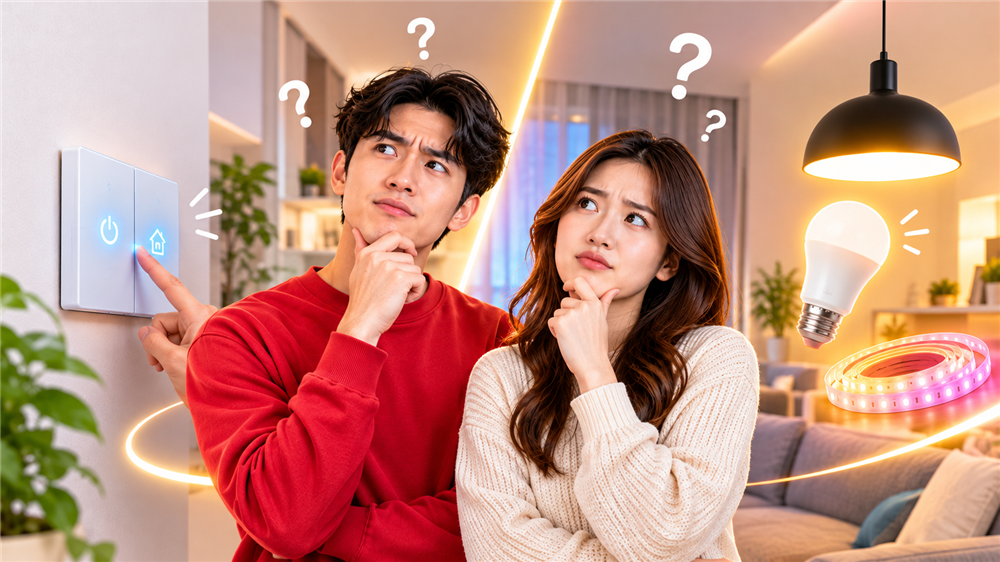
Start with the controls. A wall scene panel lets family members, guests, and helpers use scenes without a phone. The Yeelight Pro S21 Smart Scene Panel is listed on the Yeelight Malaysia site with multi-scenario control and smart home integration.
For automations, you need a trigger source. The Yeelight Pro range includes motion and human presence sensors. Check how a system connects, too: the product page for the Yeelight Pro M20 Smart Downlight & Spotlight lists the Yeelight Mesh Gateway Hub as required. Our guide to how smart lighting systems communicate explains why.
One everyday problem catches many households. A smart bulb needs power to respond, so if someone switches it off at the wall, scenes and automations stop working until the switch is turned back on. Wall panels and smart switches avoid this because the wall control itself is part of the system.
Finally, ask your lighting consultant which automations keep running if your internet drops. This depends on the system and should be confirmed for your setup.
Common mistakes to avoid
- Saving too many scenes. Four or five that your household actually uses beats fifteen nobody remembers.
- Using motion triggers in rooms where people sit still or sleep.
- Creating overlapping rules without testing how they interact.
- Having no wall control, so only the phone owner can change the lighting.
- Leaving it until after the ceiling is closed.
Frequently asked questions
Is a routine the same as an automation?
Usually, yes, but naming varies by platform. Apple’s Home app uses “automation”, while other apps use “routine” or similar. Check the trigger and action instead of the label.
Can I use scenes without any automation?
Yes. Many homes start with scenes only, then add automation later once they know what they’d like lights to do on their own.
Do I need a hub or gateway?
It depends on the product and system. Some Yeelight Pro products, such as the M20 Smart Downlight & Spotlight, list a gateway as required. Confirm the setup for your chosen products with a consultant.
What happens if someone turns the wall switch off?
Smart bulbs lose power and stop responding to scenes, automations, and voice commands. A smart switch or wall panel prevents this.
Conclusion
Scenes and automations do different jobs. A scene saves how your lights should look, and you decide when to use it. An automation decides when something should happen, and often runs a scene for you. Most homes do best by starting with a few well-designed scenes, adding automation where it solves a daily annoyance, and planning controls, sensors, and gateways before the ceiling closes. Keep the setup simple enough that everyone at home can use it.
Ready to plan your lighting?
Not sure which scenes and automations suit your home? Book a lighting consultation or visit the Copper Connect showroom to see Yeelight smart lighting in person. Our team can review your floor plan and recommend a setup that fits how you live.