What Happens If WiFi Goes Down in a Smart Home?
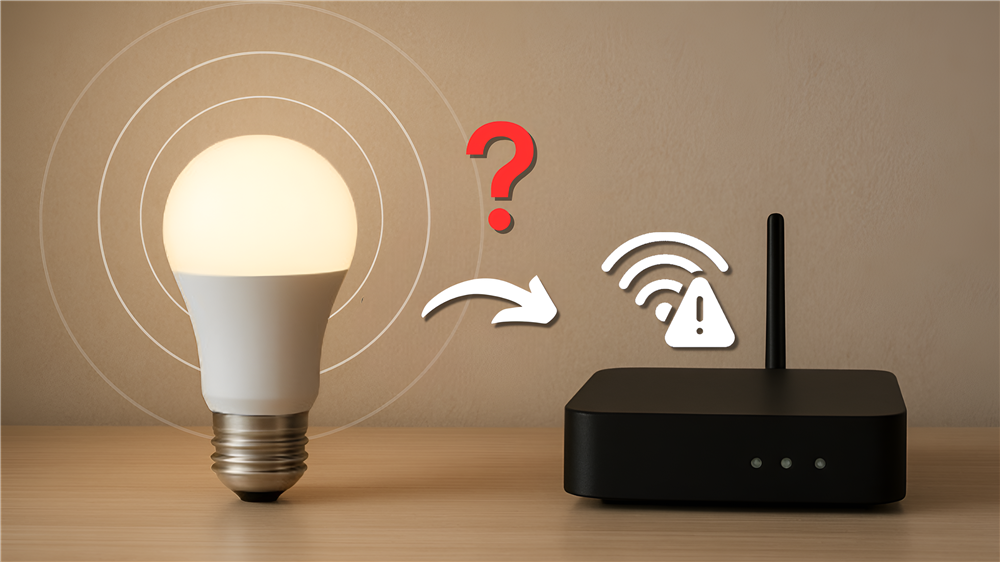
When WiFi goes down in a smart home, some smart devices may temporarily lose their features. For instance voice assistant access and cloud-based automation. However, for smart lighting systems, switches and automation scenes can still be operated.
1. Will smart lights stop working if WiFi goes down?
Not necessarily. They can still be turned on and off or adjusted by using the physical wall switches or local Bluetooth. However, when the WiFi is down, smart lighting cannot be controlled through the app on your phone and voice assistants such as Google Assistant.
2. Can I control my smart home manually?
Yes. When there is no internet connection to control smart devices such as the smart lighting through the app, homeowners can use the physical switches or dimmers to adjust them. Smart home devices ensure they have manual control as a backup.
3. Does automation still work without internet?
Automations still work since they are stored locally on the smart home hub or gateway. Motion sensor lighting will still work when motion is detected because the devices communicate locally and don’t rely on cloud servers, which require the internet.
4. Which smart home devices are most affected during WiFi outages?
Smart devices that depend heavily on cloud services are the most affected. For instance, voice assistants, remote smartphone access and cloud-based cameras. Meanwhile, local smart lighting scenes and physical switches are less affected.
5. Is a smart home still worth it if WiFi goes down?
Yes. A smart home can still improve convenience and lifestyle quality even with occasional WiFi outages. Thus, homeowners need to choose reliable smart home products and design the system with backup control options.
Having a Smart Home in Malaysia
Smart homes are becoming more popular among Malaysians. As more families adopt lots of smart devices around their homes, internet stability becomes really important. With Malaysia’s weather conditions and home layouts, it creates unique challenges for WiFi performance. Understanding what happens to smart devices when WiFi is down helps homeowners make decisions when building a smart home.
Why This Matters
- Frequent thunderstorms: During monsoon season, heavy rains can cause temporary disruptions to the internet connection. This will affect remote and voice control to control the smart home devices when the internet slows down.
- Large landed homes: When the room is far from the router, it can lead to weak Wi-Fi connection, thus smart devices will respond slower since the connection can barely reach there.
- Growing smart device usage: A home can have a large number of devices connected to the WiFi at the same time such as smart TVs, smart ceiling lights and security systems. This leads to an increase in network traffic, which decreases the stability of the internet connection.
Real-Life Use Cases
- Smart devices during a thunderstorm: The internet can lose connection during a thunderstorm. Thus, physical wall switches or dimmers come in handy as they can be used to control your smart lighting when this happens.
- Motion sensor lighting at night: Lighting with motion sensors will still work when motion is detected, as they are triggered by local sensor communication even when WiFi is down.
- Older Family members: Older family members or guests may not have the knowledge to use smart devices using the app on the phone. Thus, physical switches can help everyone use the devices at home regardless of WiFi status.
Tips & Best Practices
- Use Mesh Wifi for better coverage: Mesh WiFi provides a stable internet coverage for the whole house, especially if they are larger house. This allows rooms even far from the router to have a stable internet connection as the WiFi systems have multiple access points throughout the home.
- Choose smart lighting with local control: Smart lighting systems that support Bluetooth Mesh or local automation provide more reliability during internet interruptions. Homeowners won’t need to worry if their internet connection is disrupted.
Common Mistakes to Avoid
- Just using voice assistants: Some people only use voice commands to control smart lighting. Thus, it becomes difficult to control them when there’s no internet connection because there’s no physical way to change the lights without relying on the voice assistant.
- Using cheap or weak routers: Cheap routers can cause lag, delay responses or unstable internet connection when a lot of smart devices are connected at the same time.
The Yeelight Advantage
Smart lighting brands like Yeelight offer a wide range of lighting solutions designed for modern homes. These products are built to integrate seamlessly into smart home ecosystems, making them ideal for Malaysian homeowners looking for both function and design.
Yeelight Smart Lighting has become a leader in the Malaysian market because of its integration with Xiaomi Home, Google Home, and Apple HomeKit. Their "SLISAON" (Smart Light Is Always ON) ensures your smart scenes work even if someone flips the manual wall switch.
Comparison: Cloud-Based vs Local-Control Smart Homes
|
Feature |
Cloud-Based Smart Home |
Local-Control Smart Home |
|
Remote Access |
Yes |
Limited |
|
Works Without Internet |
Partial |
Yes |
|
Automation Reliability |
Depends on the internet speed |
More stable |
|
Response Speed |
Slight delay possible |
Faster |
|
Best For |
Convenience |
Reliability |
How to Build a More Reliable Smart Home WiFi Network
1. Upgrade to Mesh WiFi: Normal routers don't provide strong enough coverage throughout a large house. Thus, with a Mesh WiFi system, it allows the house to have multiple access points that spread a stable internet connection throughout your home.
2. Lower Network Crowding: A home can have many technological devices connected to the Wi-Fi at the same time, such as TVs and smart devices. Thus, this slows the internet connection and affects the performance of automation.
3. Use devices with local control: Some smart home devices still function locally if the internet goes down.This is because local automation devices don’t depend on cloud servers for a more reliable daily performance.
4. Upgrade the Firmware of the Router: Upgrading the firmware of your router ensures no connectivity issues, resulting in a more stable connection. It also increases the compatibility with newer smart devices.
5. Pick Reliable Smart Home Ecosystems: Branded smart home ecosystems such as the Yeelight Pro are optimized better for a smart home. They have better communication between multiple connected smart devices with stable internet connections.
Final Thoughts
When the Wi-Fi is down, it does not mean your smart home stops working. While some features may pause for a while, many can still function. Thus, building a reliable smart home means having strong WiFi coverage, local automation and backup controls for a better experience anytime, even during Wi-Fi outages.
Ready to Upgrade Your Home?
Explore smart lighting solutions or get a Free Lighting Proposal Plan tailored to your home setup by scheduling a visit to the Copper Connect showroom! Our lighting experts will guide you in designing the perfect smart lighting setup that fits your home perfectly.